
Windows app · beta
asapnotes
Instant-capture markdown notes. One shortcut, type, and get back to what you were doing.
What it is
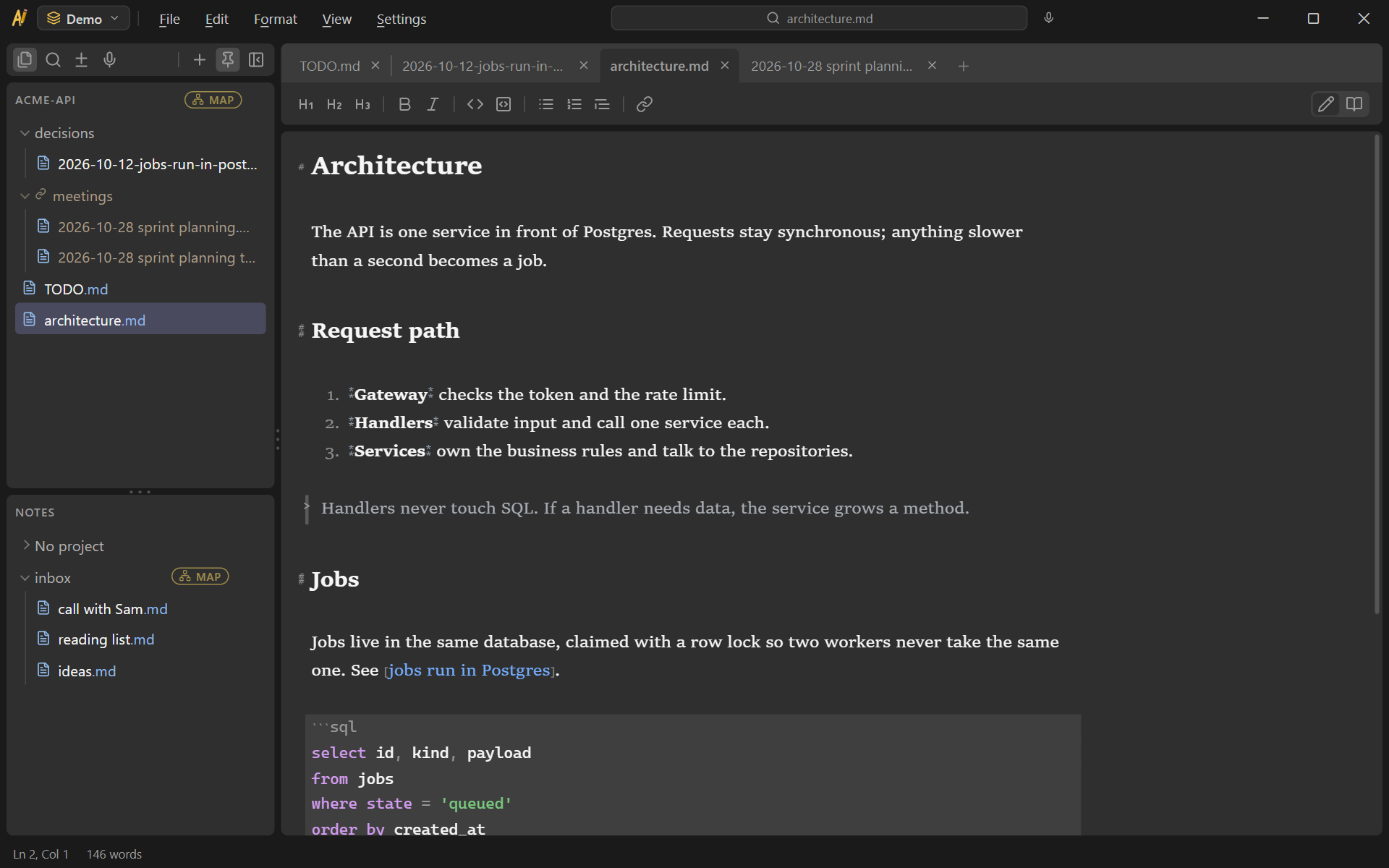
asapnotes is for the moment you need to write something down right now, in the middle of a meeting or a train of thought. It waits in the system tray with its window already made, so the shortcut only has to show it. Type, press the shortcut again, and you are back where you were.
- Instant. The window appears the moment you press the shortcut.
- Your files. Every note is a plain markdown file in a folder you own.
- Quiet. No account, no telemetry, no connection you did not ask for.
Around the quick capture sits a full notes app: a markdown editor with live preview, tabs, projects and attached folders, search across every note, links between notes, and a map of how a project's notes connect. Any other editor, sync tool or script can work on the same files.
Projects outside the notes folder
A project can be any folder on disk. Link a repository and asapnotes edits its docs folder in place, so design notes, decisions and to-do lists stay in the repository and travel with its history.
Notes that belong to a project but not in its repository, like meeting notes or your own scratch, go in a virtual folder. It shows inside the project, and its files live in a folder of their own that the repository never sees. By default that folder is in the app's data, outside your notes folder, so include it in your backups.
Meetings
Record your microphone and the computer's audio into files next to the note while you type, started from the app or by your AI assistant. Transcription runs on your own computer: download the engine and a speech model once, and recordings never leave the machine. The transcript becomes a note linked under the recording, with timestamps.
Recording a conversation captures other people. When a recording starts, the app shows an indicator you cannot miss and writes a notice into the note that you can paste into the meeting chat. Telling people, and asking for their consent where the law requires it, is up to you.
Working with AI tools
Because the notes are files, any AI tool can read them. asapnotes also ships an MCP server, so an AI assistant works on your notes through the app's rules:
- find, search and read notes in every project it can see, linked repositories and virtual folders included;
- create notes, append to them, rewrite a section, and move them;
- add to a project's to-do list and write its decision entries;
- start and stop a meeting recording, and transcribe it when it stops.
You decide in Settings which projects it can see and which it can change; a project you have not opened up stays invisible to it. Meeting control is off until you turn it on.
Privacy
asapnotes connects to nothing on its own: no telemetry, analytics, crash reports or accounts. Each connection it can make is started by you:
- downloading the transcription engine, from this project's GitHub releases;
- downloading a speech model, from Hugging Face;
- at install, only on Windows 10 machines without it, the WebView2 runtime from Microsoft that the interface runs in.
Both downloads are checked against a fingerprint built into the app before they are used. The MCP server runs on your machine and makes no network connections. The source code lists the same connections, and you can check it.
How to get it
- Download the installer (…_x64-setup.exe) from the latest release. It needs 64-bit Windows 10 or 11, and installs for your user account without admin rights.
- The installer is not signed yet, so Windows warns that it does not recognise the app. Choose More info, then Run anyway.
- Press Ctrl+Alt+A to bring up the window, and the same shortcut to put it away. You can change the shortcut in Settings.
- asapnotes starts with Windows so the shortcut always works. Settings → Startup turns that off.
Code signing
Every release is built by GitHub Actions from tagged source in the public repository, and each one is checked before it is published. Releases are unsigned today; signing through SignPath Foundation, which offers free code signing to open-source projects, is planned. The code signing policy covers who builds and approves releases.
Early days: asapnotes is in daily use and still changing. The README on GitHub is the up-to-date reference.